Choosing a web server for WordPress on Windows
“.htaccess” with password: protecting the “.htpasswd” folder and auto-login
The fastest and easiest way to do basic authentication on the web is with .htaccess/.htpasswd. Let me remind you how to do this:
1. Create a file on the server:
.htaccess
within it:
AuthType Basic
AuthName "Your authorization required message."
AuthUserFile /home/user/vasya/public_html/.htpasswd
require valid-user
php_value display_errors 1
In AuthUserFile, you need to set the absolute path to the login-password file. To find out the path, we put the script in the folder:
Continue reading
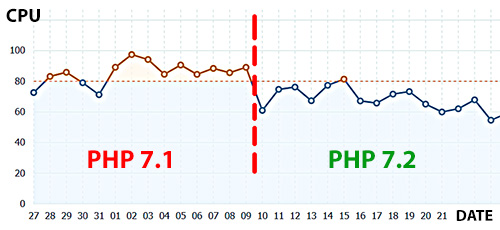
PHP 7.1 → 7.2

On the axis of ordinates – CPU: the number of minutes spent by one CPU core per day on my virtual machine. And on the bottom is the date.
Gmail lifehack: dots in email
<p>A funny (and quite important) thing that very few people know: the dots in the email on gmail.com does not matter. Therefore, these addresses:</p>
<p>vasia.pupkin@gmail.com<br />
va.sia.pup.kin@gmail.com<br />
v.a.s.i.a.p.u.p.k.i.n@gmail.com</p>
<p>… are the same: <strong>vasiapupkin@gmail.com</strong></p>
<p>This is sometimes used by scammers, because emails with dots which are not hosted on gmail are considered as different ones. Be careful!</p>
Properly moving git history to a new branch
I needed to optimize the history of my first repository (a fork of another rep), which (of course) was very buggy. Over 3 years a lot of garbage had accumulated there; there was data that shouldn’t be there and hundreds of extra commits that made it hard to navigate through the rep’s history.
Normally, you could squash everything right “hot”. However, because of the multitude of merges, it is no longer squeezable.
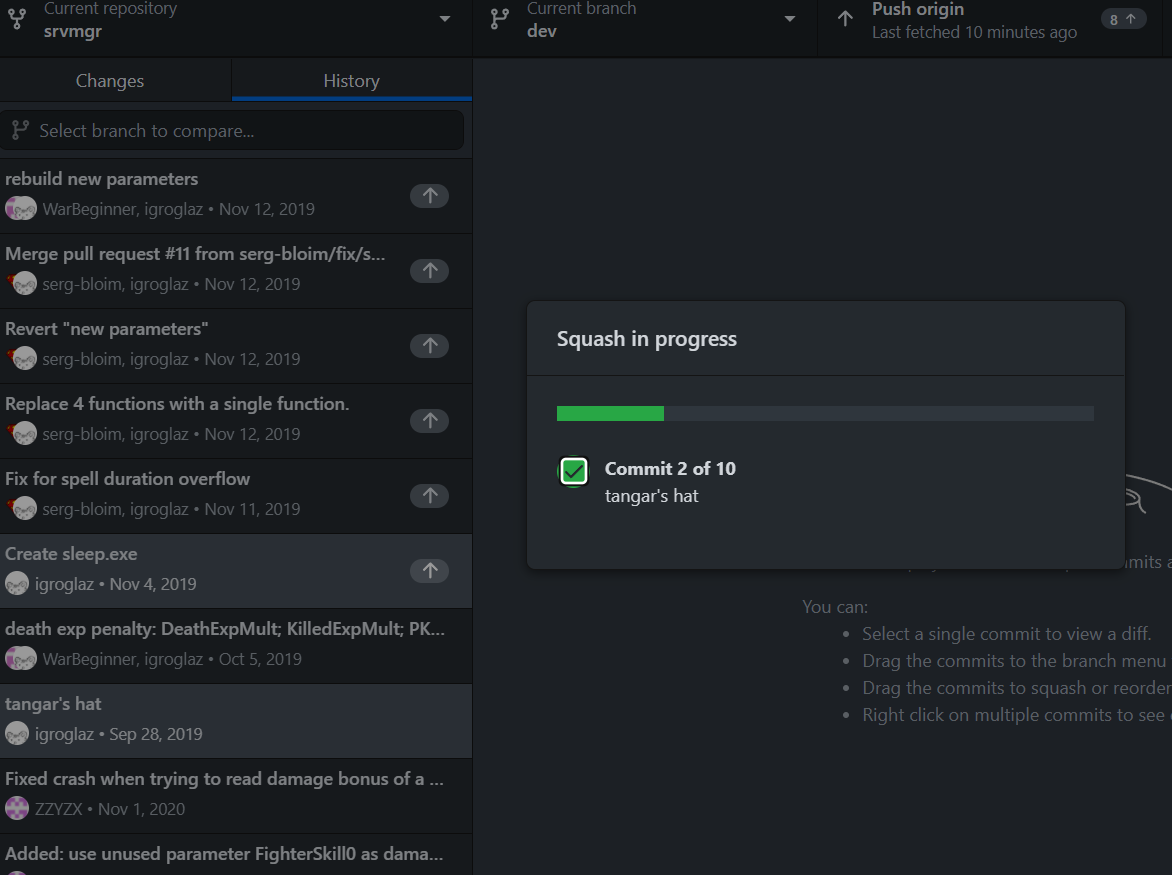
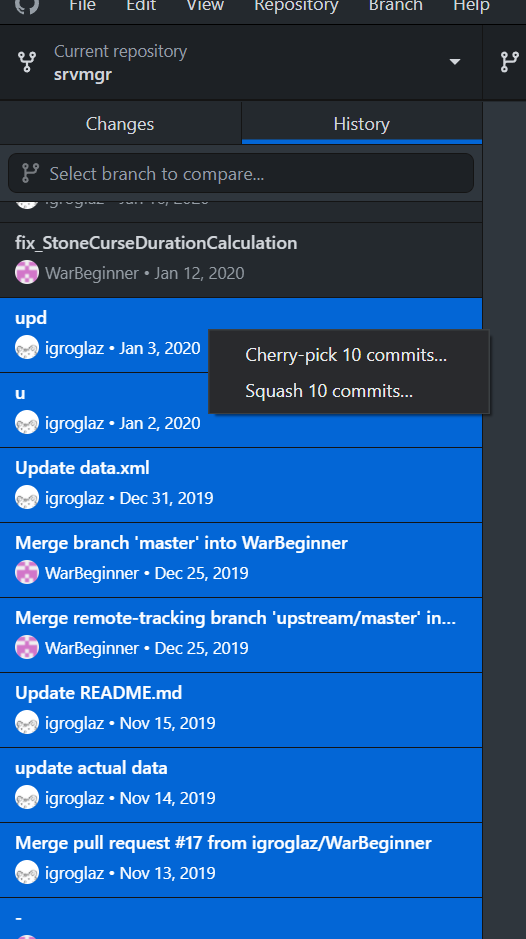
The first thing I tried was to clone upstream-master into a new branch. I started to cherry-pick commits there from my origin-master (see screenshot on the left). But then I got in trouble. My main fork-origin was intertwined with upstream. As a result, I had to scratch out chunks of commits. In general, it was a total mess: 2019 on the bottom, 2020+ on the top (see screenshot below).
Continue reading
Disable next slide (preview) for multiple display in LibreOffice Impress
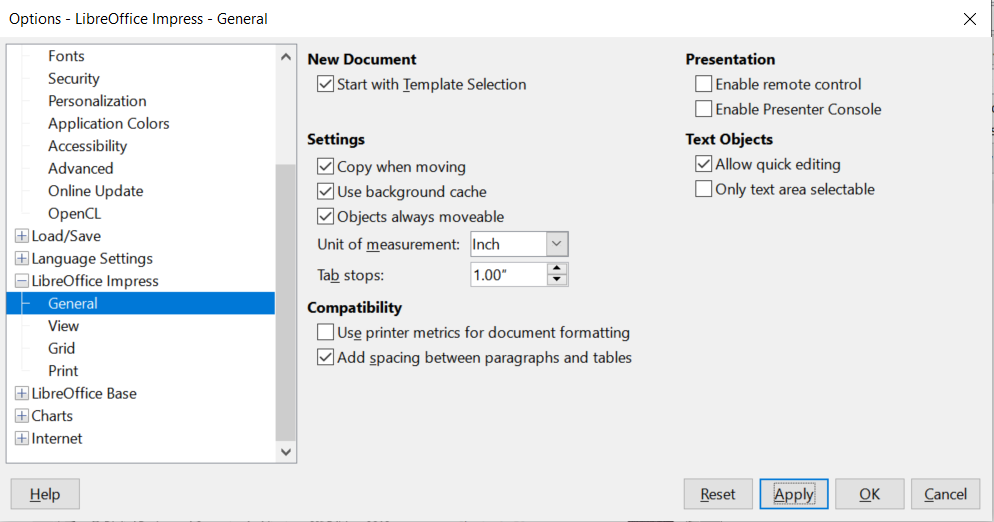
How to remove when presentation showed at two screens at once.. to hide control panel of slideshow:
- Tools → Options → LibreOffice Impress → General
- Presentation section on the right top side
- uncheck Enable Presentation Console
[Solution] cmd won’t run from powershell
What to do if you can’t start cmd from powershell. You get an error:
cmd : The term ‘cmd’ is not recognized as the name of a cmdlet, function, script file, or operable program. Check the
spelling of the name, or if a path was included, verify that the path is correct and try again.
At line:1 char:1
+ cmd + ~~~ + CategoryInfo : ObjectNotFound: (cmd:String) [], CommandNotFoundException
+ FullyQualifiedErrorId : CommandNotFoundException
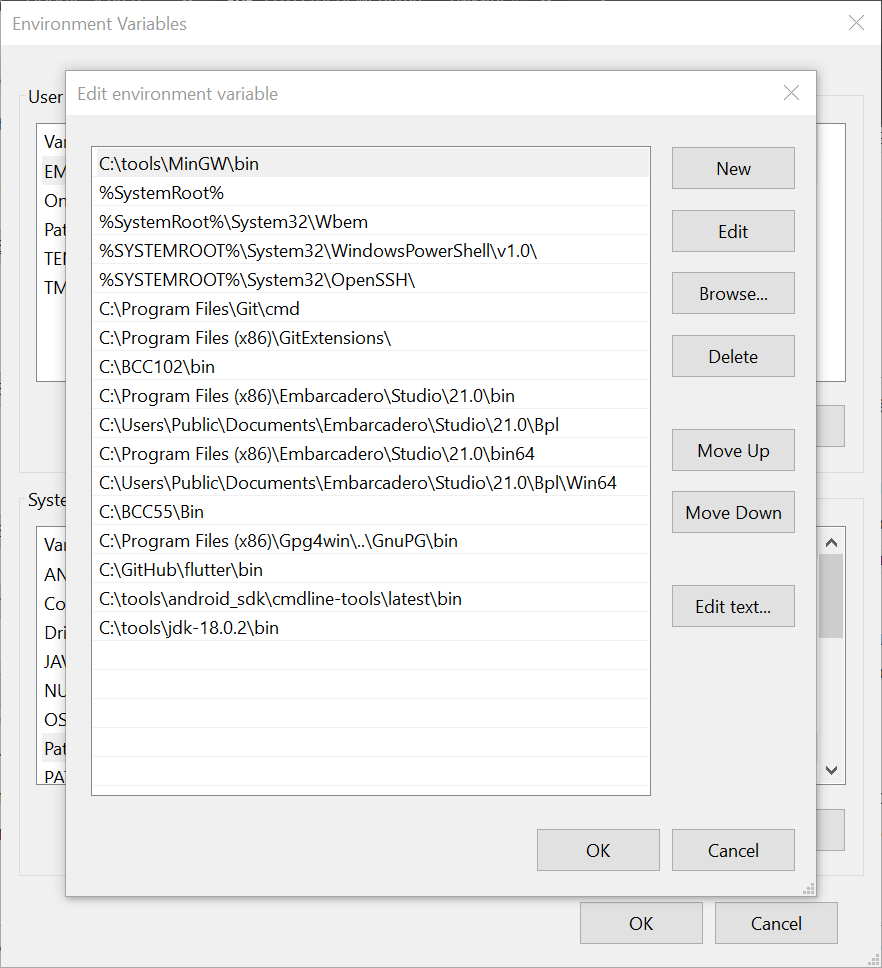
You probably screwed up the paths in the PATH environment variable. You deleted or pressed “Browse…” before you created the new variable… You ended up deleting the most important and dangerous system variable C:\Windows\system32
That’s how I just did it 🙂
The fix is simple: add C:\Windows\system32 back
Excel tricks & lifehacks on an example of LibreOffice tables
Useful lifechanging tips and tricks for working with spreadsheets in Excel!
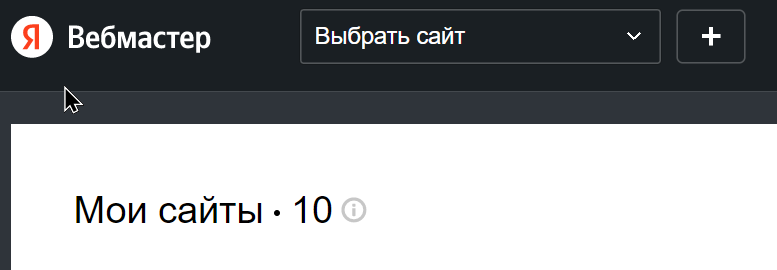
I can’t see my site in Yandex Webmaster
Continue reading Create a Makefile for gcc in Visual Studio Code
- Install MinGW (how to set up MinGW – watch this video)
- Inatsll Visual Studio Code (VSC)
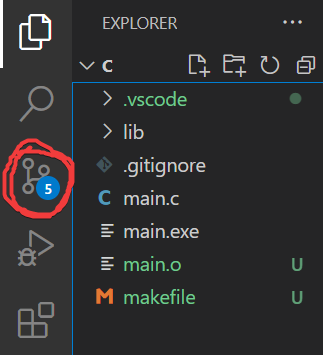
you can immediately integrate VSC with Git so that everything is automatically synchronized. To do this, simply make a repository on Github and clone it to some folder on your computer. Open this folder in VSC and it will automatically pick up this repository, suggesting synchronization 🙂 Agree, what is already there. You can commit through the button in VSC (see the screenshot on the right) or automatically.- now install the plugin there “C/C++ for Visual Studio Code”:
C Language: Dictionary Spell Checker
At the end of the fifth week of the CS50 Harvard course, we studied hash tables, which can be used to solve the problem of hashing words from text to check their spelling in a dictionary (speller.c). A dictionary is given in which words are listed on each new line. In a separate file, the text is given, which the program must check – which words in the text are spelled incorrectly. It is believed that all words that are not in the dictionary are wrong words.
It is necessary not only to create a program code that checks words from the text with a dictionary, but also to minimize the speed of this program. In order for the program to work quickly, you need to come up with your own hash function and choose the optimal number of buckets in the hash table (26 buckets are initially suggested). The task is located in the dictionary file (dictionary.c) and consists of four functions: dictionary loading (load), hash function (hash), word check (check) and memory release (unload).
C language: inheritance of blood type of family members
In the fifth week of the Computer Science – CS50 (Harvard) course, we studied data structures and learned how to access structure elements by their address. To complete your homework (Lab 5 – inheritance.c), you need to understand the scientific principle of inheritance of blood type from parents to children. Challenge: Write a program that runs a simulation of a three-generation family and assigns each member a blood type based on the parent’s blood type.
How blood type is inherited:
- there are only three possible forms of the gene (they are called the “allele” or building block) that determine the type of blood group – these are A, B, and O;
the blood type itself is always two alleles (all sorts of combinations of A, B, and O), for example, AO, AA, OB, etc.; - the blood type is “transmitted” from parents to the child as follows: one allele is randomly selected from each parent and then they are combined into a new pair – this is the child’s blood type (for example, the parents had AO and OB -> the child may have AB , OO, OB or AO).
C Language: Simple Random Number Generator
Random number generator in C with srand() and time(). Srand() is a helper function for the rand() function, generating a seed for the start of a sequence of (pseudo)random numbers. Because the time returned by the time() function changes once a second, when calling this code more often, there will be no randomness. To be – use nanoseconds through timespec_get ().
#include <stdio.h>
#include <stdlib.h>
#include <time.h>
int main(void)
{
int n, r;
printf("Rng at your service:\n\n");
srand((unsigned)time(NULL));
for (n = 0; n < 10; n++)
{
r = rand();
printf("%d\t", r % 100);
}
return 0;
}
Half of the Computer Science course completed!
New words in my vocabulary:
🔸 pointer (pointer to a memory cell; something like a book card in library drawers, which indicates the name of the book and its place on the shelf);
Real life example:
Do not deign to move, here is my pointer!
🔸 hash-function (data conversion algorithm; you send a message there, and at the output you get a hash code, which is always the same for this message); Continue reading
C language: recover photos from memory card
Imagine that you deleted photos from your memory card and then wanted to restore them. It turns out that in some cases it is possible to do this, because when we delete a photo with the “delete” button, what actually happens is more like not deleting, but forgetting. The links between the bytes are lost, but the information itself is still in memory until it is overwritten with new photographs. Passing the CS50 course (Harvard) – at the end of the fourth week, we got the recover.c task, in which we are given the source file of the memory card card.raw and need to write a program that will restore all the photos.
Digital cameras often store photographs one after another in accordance with the FAT file system, where all information is divided into blocks of the same size of 512 bytes. And each photo is recorded using these blocks. Considering that photos can differ slightly in size from each other, but at the same time be recorded in the same number of blocks, it allows you to write code that sequentially goes through each block of the card’s memory and copies this data into new files. The “extra” bytes are called “unallocated space”, and even ancient photographs can be stored in it.
Notepad++ fork
For a long time I was looking for a stable fork of Numpad++ that could live in parallel with the vanilla version of NPP. What for? To be able to run two instances of my favorite editor 🙂 Unfortunately, using the portable version along with the installed one does not allow saving open projects.
Searched, searched.. and found! Please meet NotePad Next! The cross-platform implementation of npp .. is also suitable for those who were looking for an analogue of Notepad ++ on Linux 🙂
C language: a filter that highlights the edges of objects in an image
At the end of the fourth week of the CS50 (Harvard) course, we had an interesting task: to make a program that takes the original image and imposes a filter on it with selection of the edges of objects (filter-more). This effect is achieved by applying the Sobel operator – a 3×3 grid is taken around each source pixel (another 8 pixels, in addition to the source one) and calculated by the formula, first the Gx and Gy values, and then the square root is calculated from the sum of the squares of the obtained values. The Gx and Gy values are squared to avoid negative numbers.
What is the square of the numbers Gx and Gy? This is the calculation of the vertical and horizontal derivative values, which in practice looks like multiplying the RGB color values of each pixel by a number in the given Gx and Gy matrices. The essence of such calculations is that we compare the values on each side of zero, if there is no difference, then the color does not change, if there is a transition from smaller to larger, then there is a gradient and the larger the difference, the more the color changes in the image . Therefore, in the place where there is a transition, a “border” will be drawn on the new image.